


Save from any app
Tap share in Photos, Safari or TikTok, then pick Swuvi.
Save from any app in two taps, organize with folders and tags, set reminders, and share it all with friends.

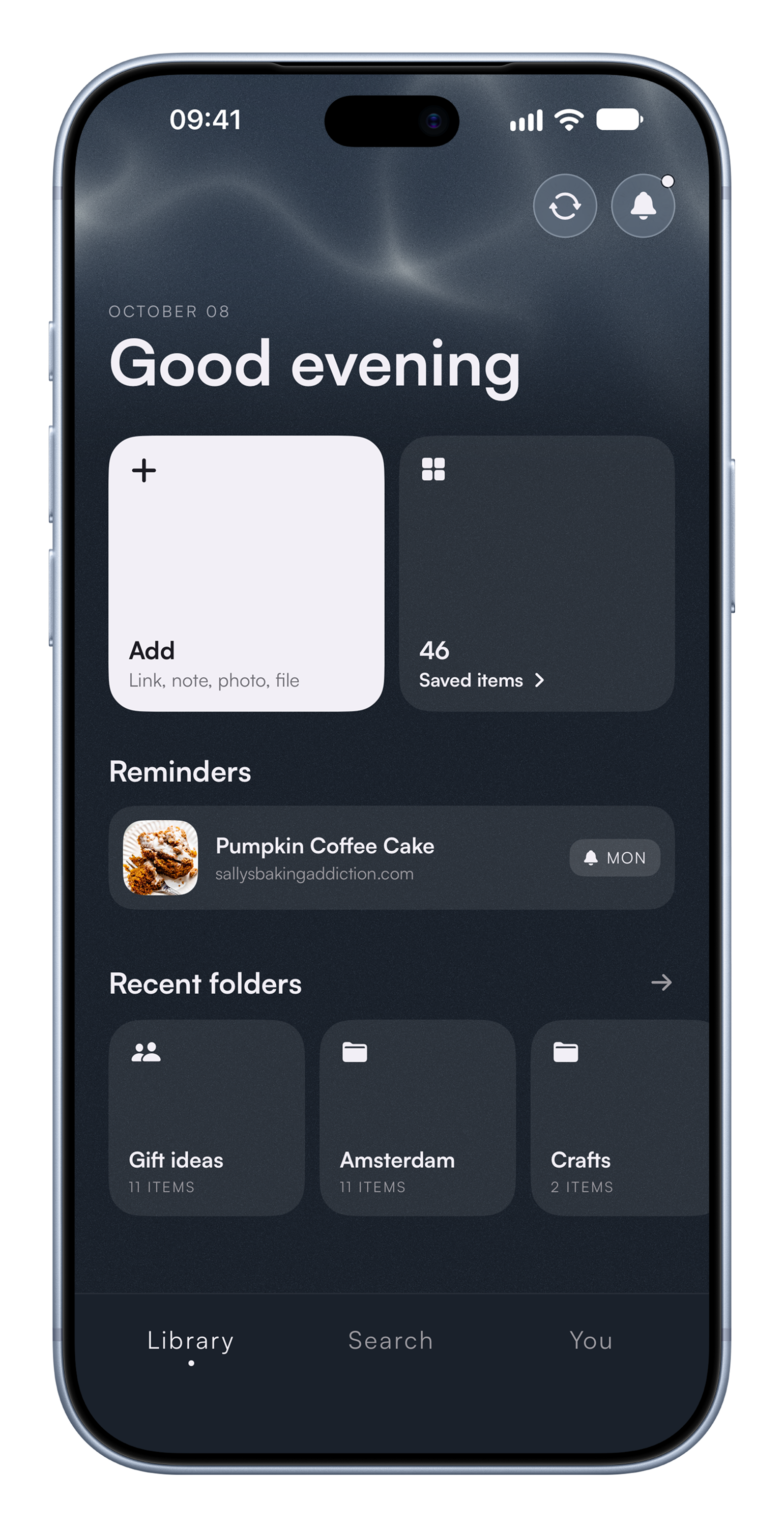
Screenshots, links, notes, files and reminders, kept together and shared with the people you want.
Tap share in Photos, Safari or TikTok, then pick Swuvi.
Links save with a preview. Notes sit right next to them.
Screenshots, receipts, PDFs and docs, kept apart from your camera roll.
Shared folders everyone can add to, in one place for the whole group.
Add a reminder to anything you save. We bring it back when you said.
Tag anything as you save it. Search by title, source, tag, or folder.
“I've finally found an app that can keep up with the 20 things my brain is juggling at once.”
“I used to save way too many screenshots and links and this app changed that completely for me.”
“Honestly changed how I approach my saved ideas.”
“So useful having everything in one place”
A save-for-later app for iPhone. One library for outfits you screenshot, restaurants you put in your Notes, links you text yourself, and everything else you mean to come back to. Swuvi helps you actually do something with the things you saved.
Tap the share button in any app and pick Swuvi. Choose a category: read, watch, listen, go, buy, make, try. Add a tag or note to help you remember. Done in a few seconds.
Swuvi is free to download and comes with a 3-day free trial so you can use everything before you pay. After the trial, a subscription is required to keep using the app. It's $4.99 a month (less than most things you saved to "buy someday").
No. Swuvi does not process, analyze, or summarize what you save. Nothing you add to your library is passed to a model.
Your library is yours. Swuvi does not sell data, share it with third parties, or use it to train anything. The app is built for single-player use by design; there is no social layer to expose what you save.
Swuvi is iPhone only today. Join the waitlist to get notified when the Android app is released.
Free to download on iPhone and iPad.